Digital Tickets
Signature offers digital tickets to our performances. You can view and scan the tickets directly from your mobile device, or send them to yourself via email, text, Apple Wallet or Google Wallet. See below for more tips on how to access. We recommend downloading your tickets prior to arriving at the theater.
Accessing Your Digital Tickets
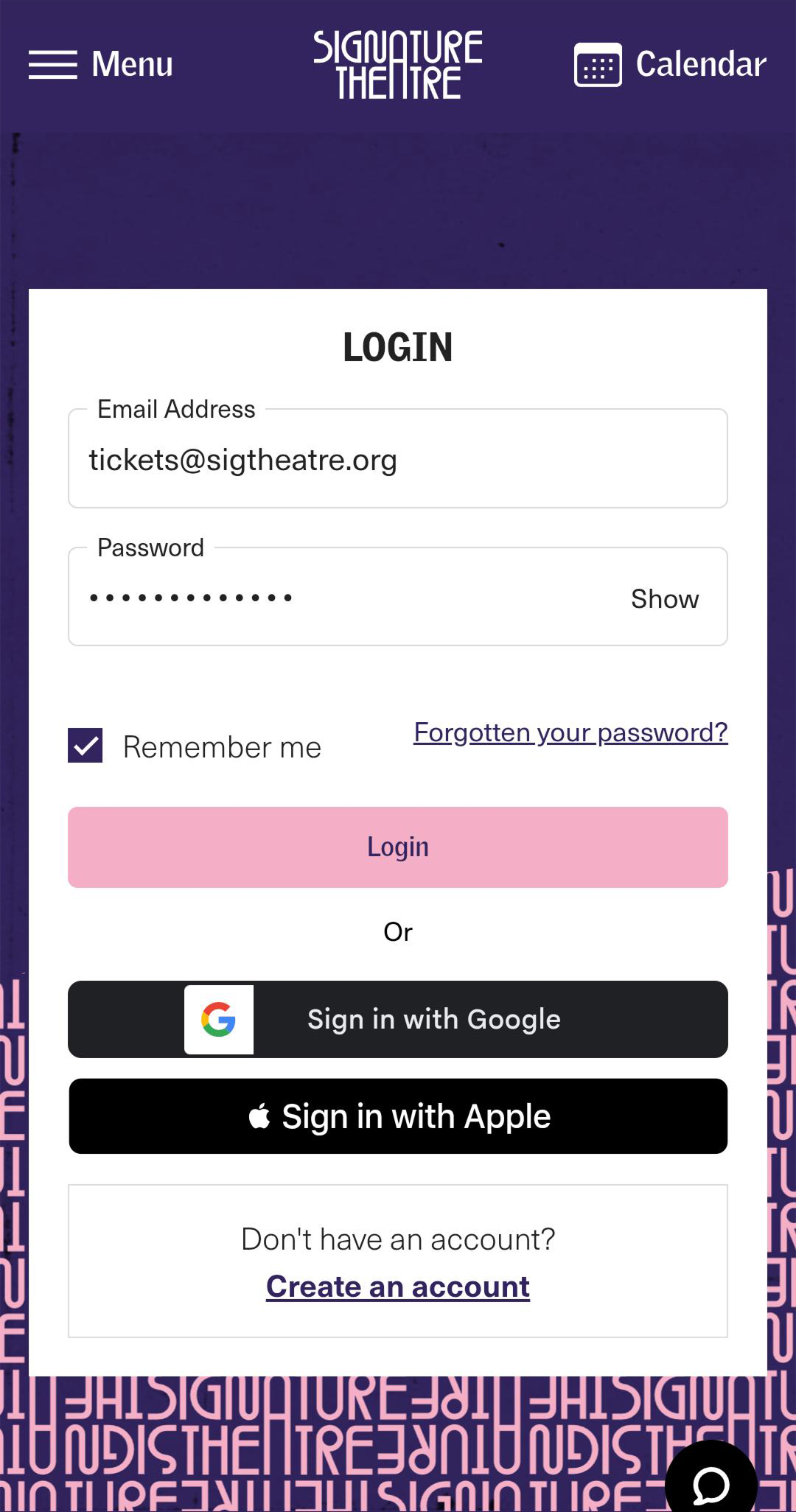
Step 1: Login to your account at Tickets.SigTheatre.org/Account/Login
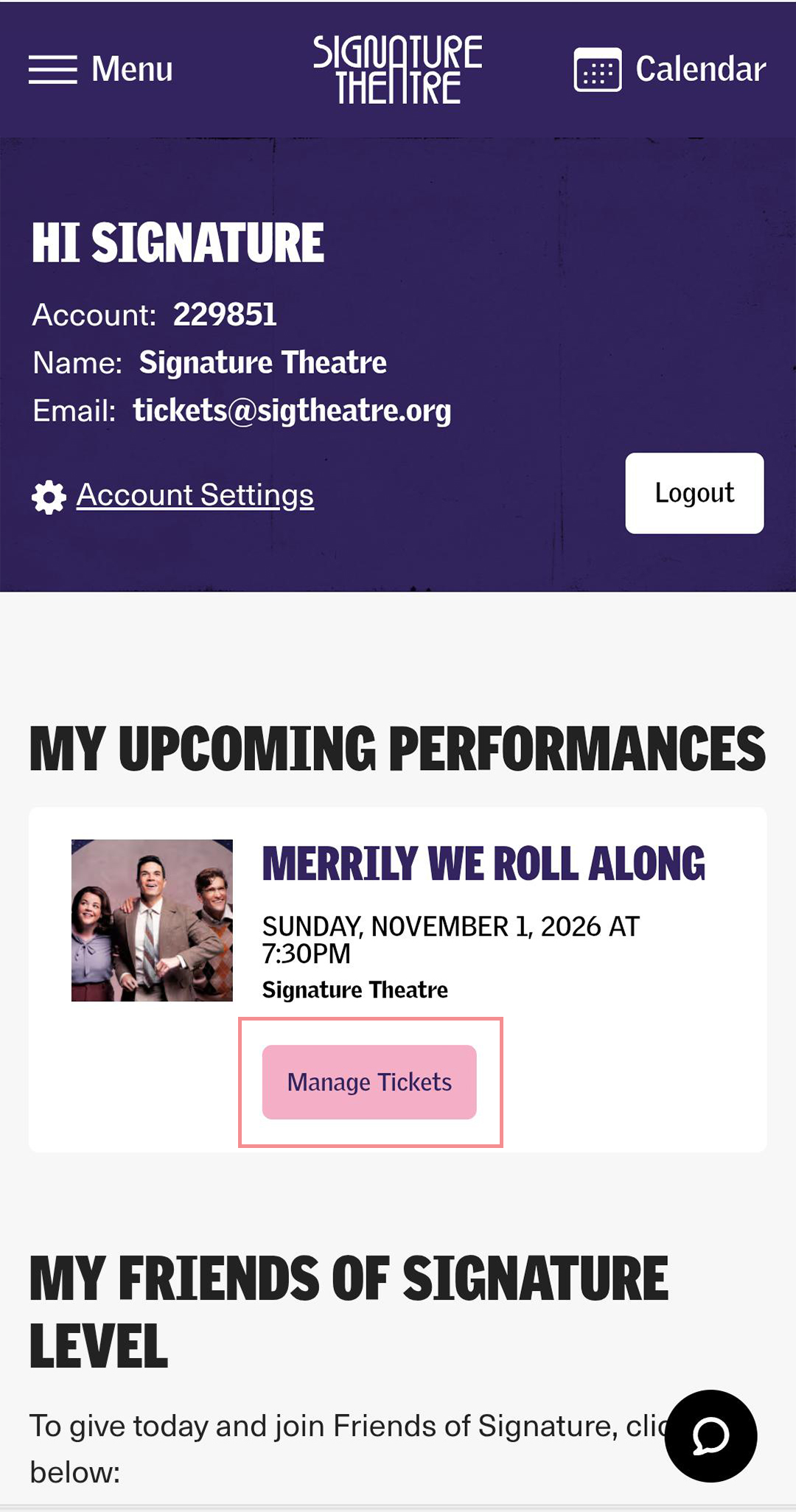
Step 2: Click "Manage Tickets" on the performance you'd like to access your tickets under "My Upcoming Performances"
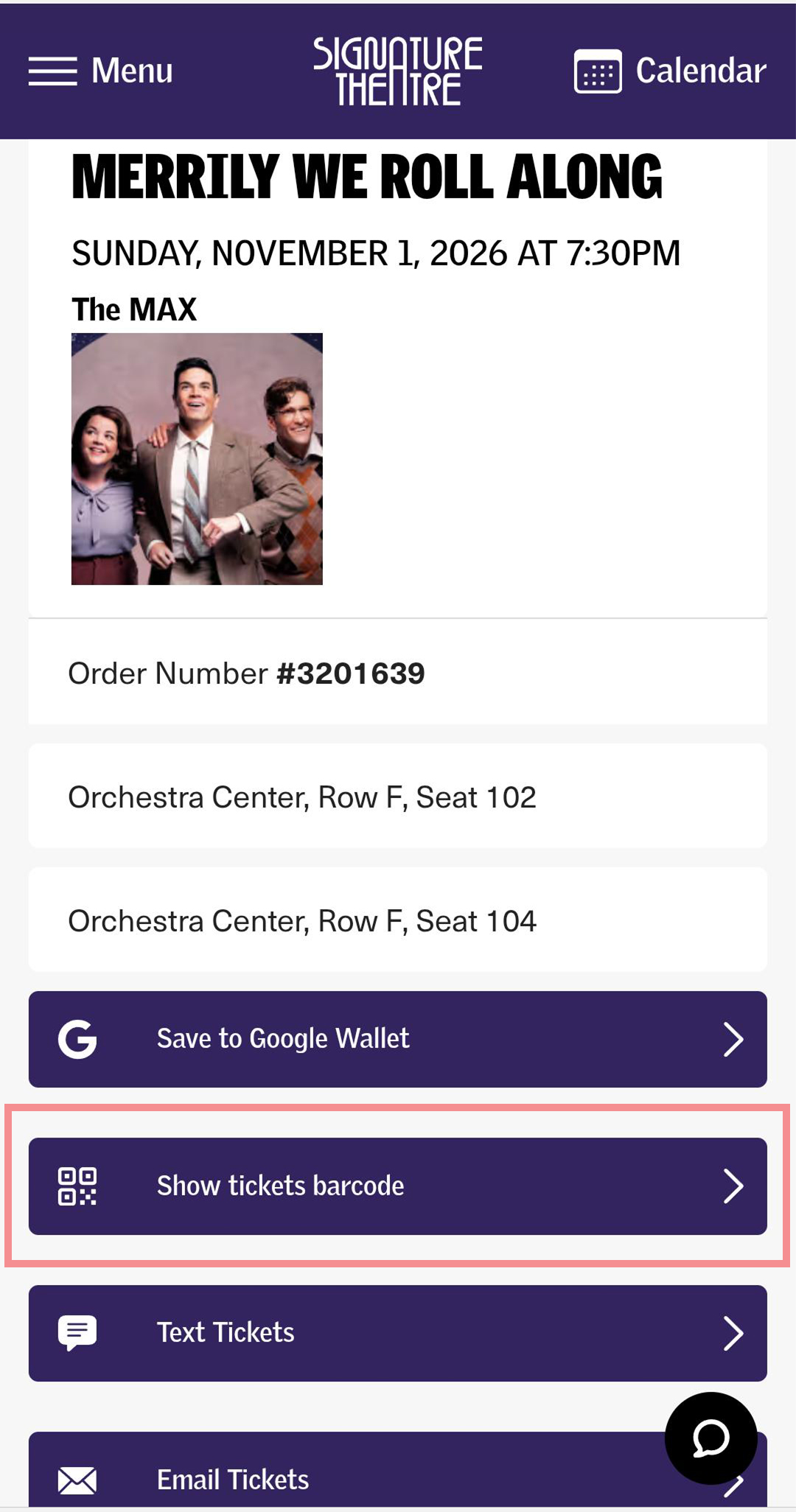
Step 3: Click "Show tickets barcode" to easily access the QR code for your tickets to scan. You can also select any of the other options to text, email or add your tickets to your Apple or Google Wallet.
Note: "Add to Apple Wallet" and "Add to Google Wallet" will only appear if you are accessing your tickets on a mobile phone or tablet.
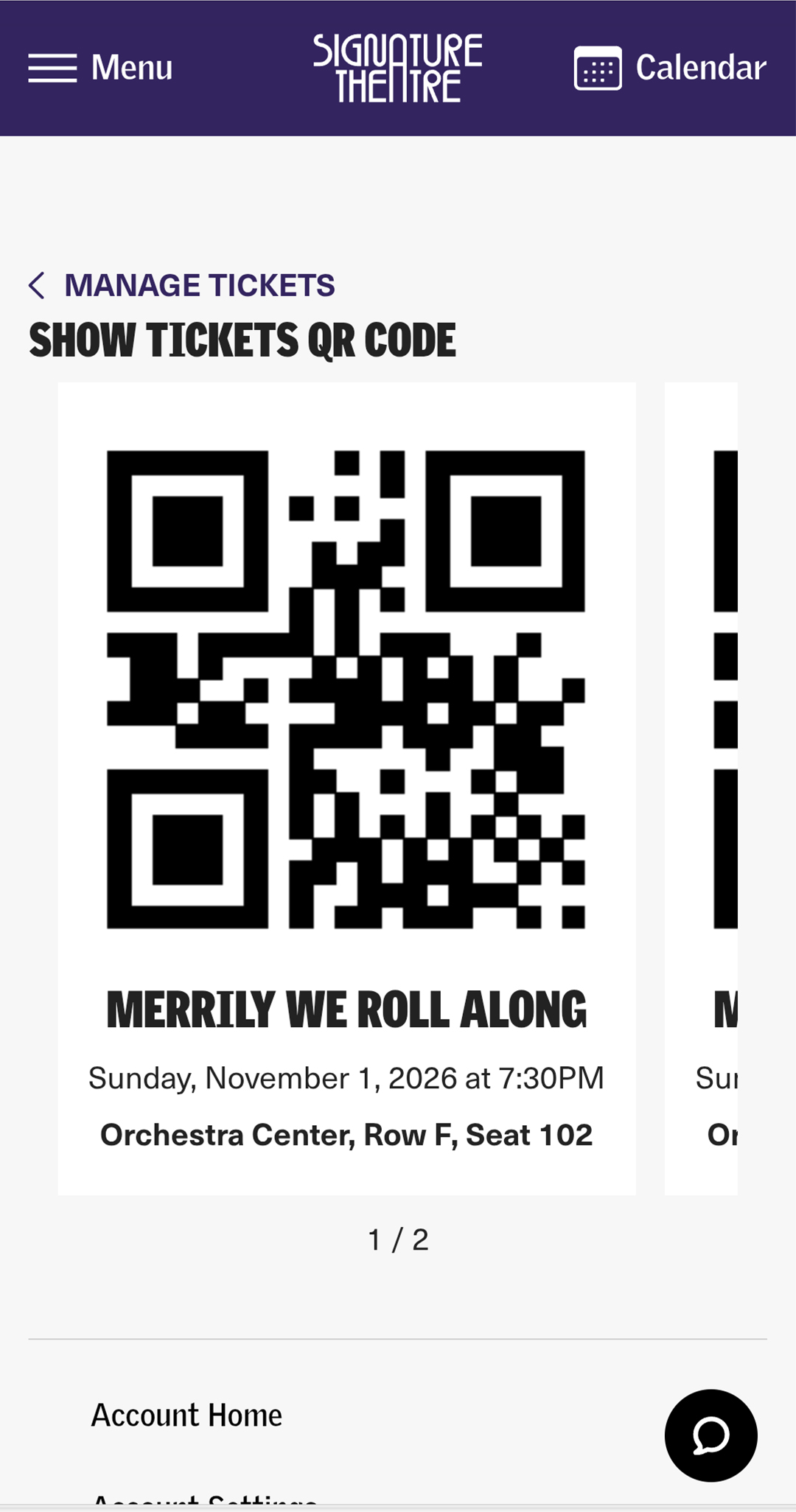
Step 4: View your Digital Ticket QR codes. These codes will scan directly from your device. You can also take a screenshot to easily access your tickets later.
Digital Ticket FAQs
Can I screenshot the QR code?
Can I screenshot the QR code?
Yes! Our QR codes do not dynamically change, so if you'd like to screenshot the QR code before arriving at the theater, it will scan for easy access. You can access the screenshot in your photos app on your device.
Can I print out my digital tickets?
Can I print out my digital tickets?
Yes! If you prefer having your ticket on paper, you can screenshot your QR code and print it out, or choose the "email tickets" option and print out that email. The Box Office can also print your tickets for a $5 fee.
What if I don't know my login information?
What if I don't know my login information?
If you've forgotten your password, simply click the "forgot my password" link when logging in to your account at https://tickets.sigtheatre.org/account/login.
You can also choose the "View Barcodes" option from your order confirmation email or performance reminder email, and that will allow you to view your tickets without needing to log in first.
Performance Reminder Email: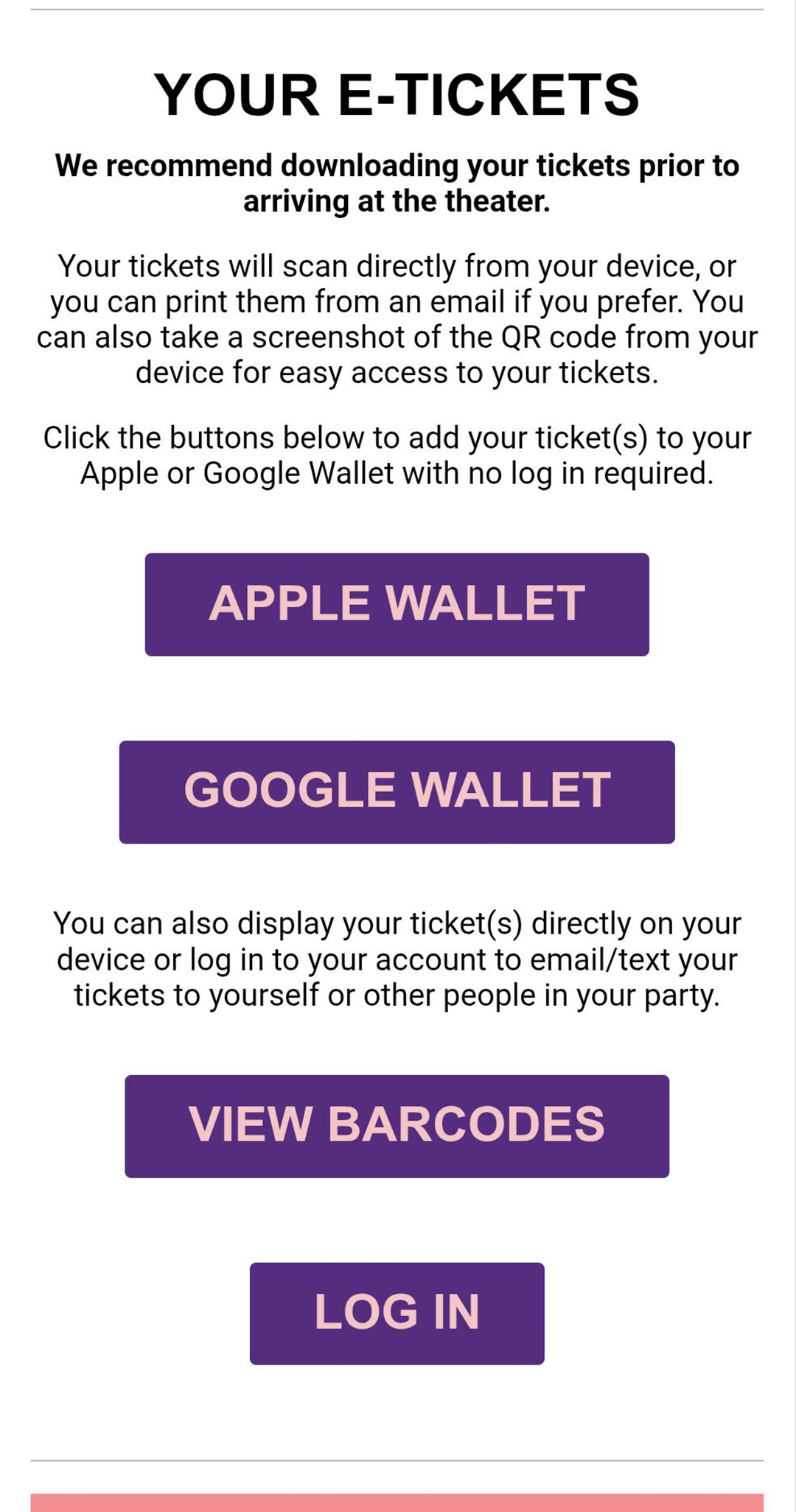
Order Confirmation Email: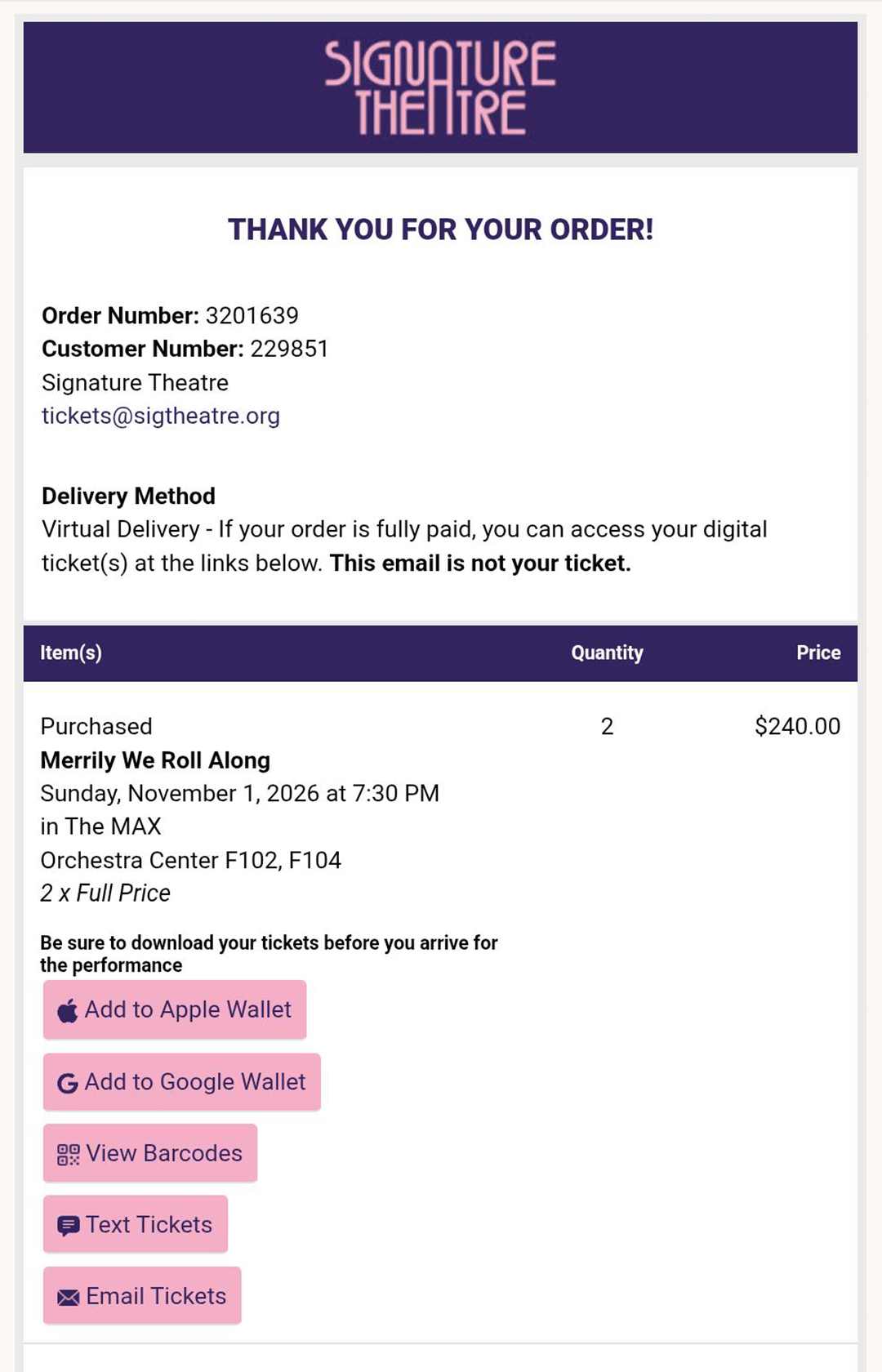
How do I share my tickets with someone else?
How do I share my tickets with someone else?
Login to your account using the steps above, and choose "Email Tickets" or "Text Tickets" and you can send to yourself or to someone else in your party.
What if I have trouble accessing my tickets at the theater?
What if I have trouble accessing my tickets at the theater?
We recommend downloading your tickets prior to arriving at the theater for easy access. If you're having trouble while at the theater, please look for a House Manager or stop by the Box Office and we will be happy to assist you.
I don't have a smartphone or tablet, how do I access my tickets?
I don't have a smartphone or tablet, how do I access my tickets?
You can print out the QR codes at home, either from the "VIEW BARCODES" option or email your tickets to yourself and print out the email.
If you’d prefer paper tickets we can print them for a small additional fee, which you can choose during check out. If you have already purchased tickets, please contact the Box Office to print for mailing or to pick up at Will Call.
Can I get printed tickets instead?
Can I get printed tickets instead?
If you’d prefer paper tickets we can print them for a small additional fee, which you can choose during check out. If you have already purchased tickets, please contact the Box Office to print for mailing or to pick up at Will Call.
Why is there a fee for printed tickets?
Why is there a fee for printed tickets?
This fee covers the cost of printing your tickets, including ink, paper and other materials.